# Which Username & Password Do I Use?

<iframe allowfullscreen="allowfullscreen" class="h5p-player w-100 border-0" height="534" id="bkmrk--1" name="h5player" src="https://moodle.mlc-wels.edu/moodle/h5p/embed.php?url=https%3A%2F%2Fmoodle.mlc-wels.edu%2Fmoodle%2Fpluginfile.php%2F408909%2Fmod_h5pactivity%2Fpackage%2F0%2Finteractive-book-1291594972227031488.h5p&component=mod_h5pactivity" style="height: 0px;" width="1544"></iframe>

It depends on what you are trying to access.

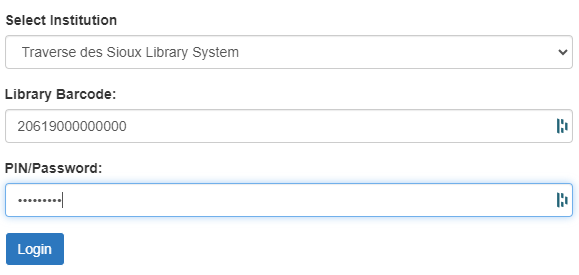
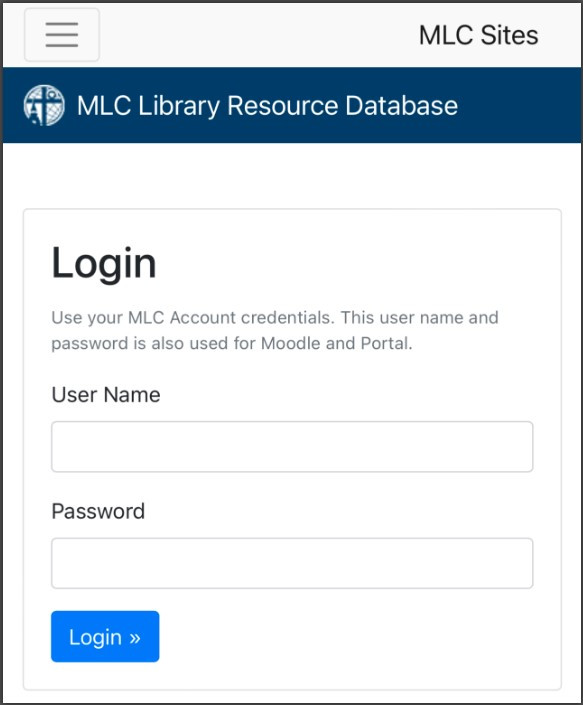
- **Off-campus access** to library databases or Discovery searches: **Portal** **Username and Password**
    - See "[Getting Started](https://help.mlc-wels.edu/books/mlc-accounts/page/getting-started)" for help with your Portal account.
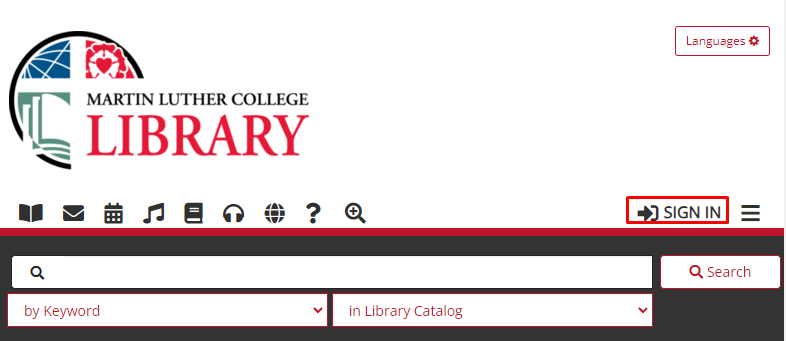
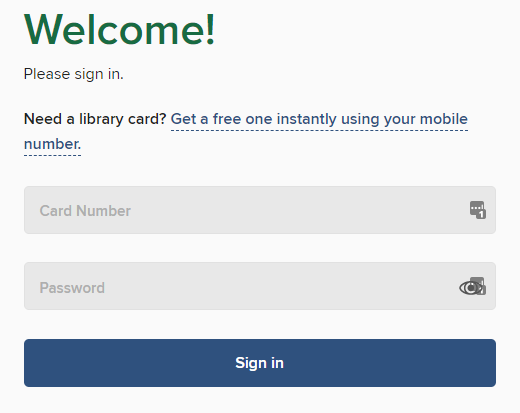
- **[MLC and TdS catalogs](https://help.mlc-wels.edu/mlc.tdslib.org), [MLC ](https://martinluther.overdrive.com/)and [TdS ](https://tds.overdrive.com/)Overdrive, [MNLINK](https://mnlink.org/)**: 
    - Student ID **Barcode + Library Password**
- See our [sign-in help page](https://mlc.tdslib.org/signinhelp) for password information

<table border="1" id="bkmrk-mlc-%28portal%29-login-i" style="width: 100%; border-collapse: collapse;"><tbody><tr><td style="width: 33.3333%;">#### <span style="text-decoration: underline;">MLC (Portal) Login Info</span>

</td><td style="width: 33.7036%;">#### <span style="text-decoration: underline;">MLC ID Barcode + Library Password</span>

</td></tr><tr><td style="width: 33.3333%;">##### Off-campus access to   
library databases or Discovery searches

##### [![Screenshot_15.jpg](https://help.mlc-wels.edu/uploads/images/gallery/2022-06/scaled-1680-/Screenshot_15.jpg)](https://help.mlc-wels.edu/uploads/images/gallery/2022-06/Screenshot_15.jpg)
</td><td style="width: 33.7036%;">##### [MLC Catalog](https://mlc.tdslib.org)
![](https://help.mlc-wels.edu/uploads/images/gallery/2023-08/scaled-1680-/image-1692053156366.png)

</td></tr><tr><td style="width: 33.3333%;"> </td><td style="width: 33.7036%;">##### [MLC Overdrive](https://martinluther.overdrive.com/) (ebooks and audiobooks)

##### [![MLC Overdrive header](https://help.mlc-wels.edu/uploads/images/gallery/2019-10/scaled-1680-/Screenshot_56.png)](https://help.mlc-wels.edu/uploads/images/gallery/2019-10/Screenshot_56.png)

[![Overdrive-login-screen.png](https://help.mlc-wels.edu/uploads/images/gallery/2019-10/scaled-1680-/Overdrive-login-screen.png)](https://help.mlc-wels.edu/uploads/images/gallery/2019-10/Overdrive-login-screen.png)
</td></tr><tr><td style="width: 33.3333%;"> </td><td style="width: 33.7036%;">##### [TdS Overdrive](https://tds.overdrive.com/) or Libby app (ebooks and audiobooks)

##### [![TdS Overdrive header](https://help.mlc-wels.edu/uploads/images/gallery/2019-10/scaled-1680-/Screenshot_56.png)](https://help.mlc-wels.edu/uploads/images/gallery/2019-10/Screenshot_56.png)

[![Overdrive-login-screen.png](https://help.mlc-wels.edu/uploads/images/gallery/2019-10/scaled-1680-/Overdrive-login-screen.png)](https://help.mlc-wels.edu/uploads/images/gallery/2019-10/Overdrive-login-screen.png)

</td></tr><tr><td style="width: 33.3333%;"> </td><td style="width: 33.7036%;">##### [MNLINK](https://mnlink.org/)

[![image.png](https://help.mlc-wels.edu/uploads/images/gallery/2024-06/scaled-1680-/xo8image.png)](https://help.mlc-wels.edu/uploads/images/gallery/2024-06/xo8image.png)

</td></tr></tbody></table>

---