Layout and Navigation Basics
Having an organized Moodle course site can go a long way in helping students succeed in online learning. Some things to consider:
- Use sections to organize your course in Moodle rather than having one long list. Think of these sections like file folders -- all the materials for one lesson (or week, depending on how you're organizing your course) should go in a section.
- Number your assignments to help students locate them and keep track of what they've done. Then, if there are handouts, direction pages, or other parts that go with an assignment, label them similarly. For example, in week 1, you might have assignment 1.1 that goes with handout 1.1a.
- Put due dates at the end of the assignment name in Moodle so students can quickly see what's due each day without having to open everything.
- Create a checklist of what students are expected to do for each lesson or week.
- Add a discussion forum for questions to your class for students to post questions in. This will help reduce your email volume, let students check for questions that have already been asked, and let students answer each other's questions.
- If you have lots of files, consider setting up folders to hold related files.
Course Layout Explained
Turning Editing On
1. Enter the course site you want to edit.
2. Click the blue Turn Editing On button in the upper right corner.
Adding Course Content
1. Turn editing on for the course site.
2. Click Add an activity or resource in the topic where you want to add content.
3. From the resulting window, choose the activity or resource type you'd like to add and follow the prompts.
4. Clicking each choice will show a description of the activity or resource on the right side of the window.
5. After making your selection, click Add and follow the prompts for the activity or resource.
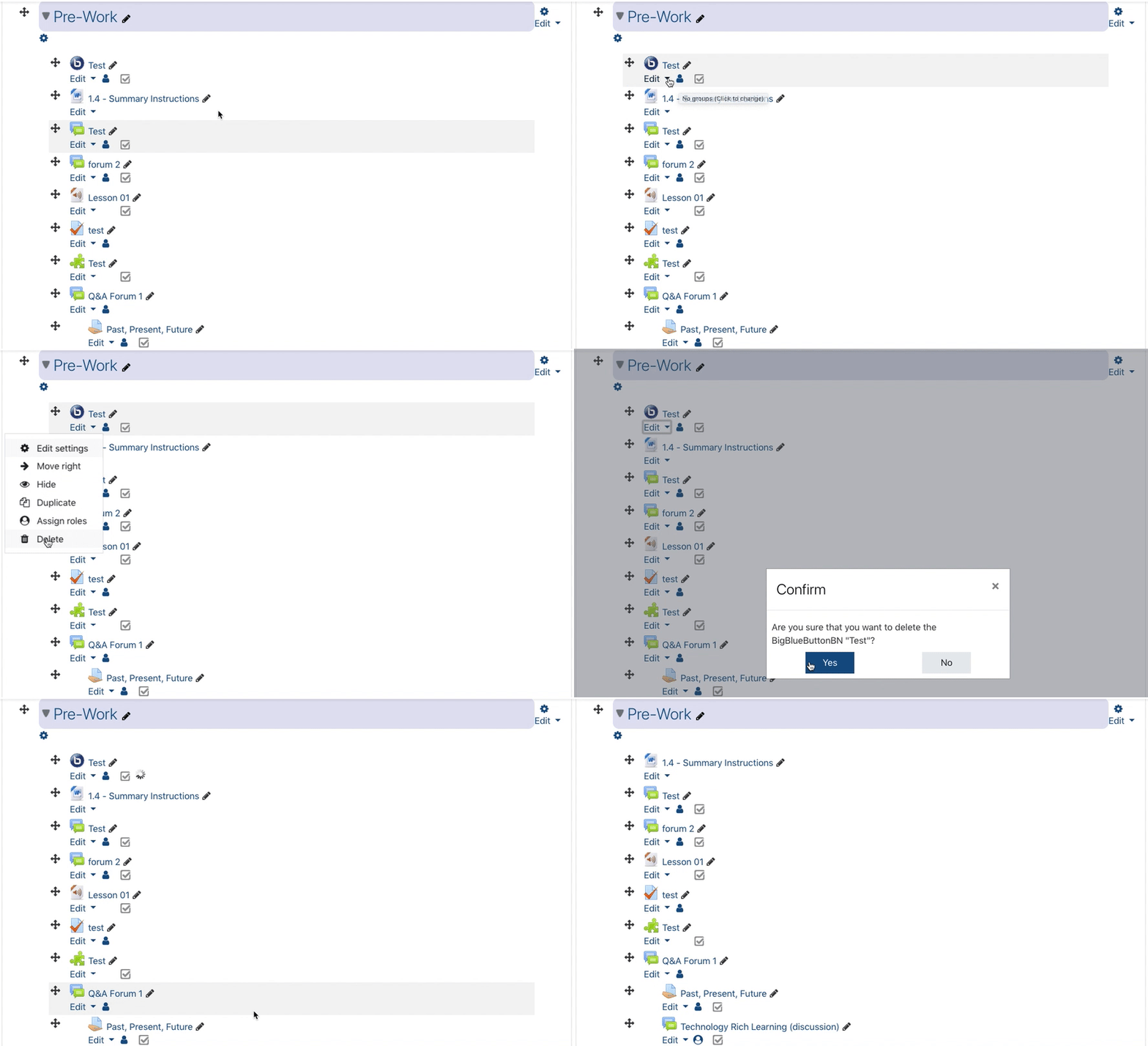
Deleting Course Content
1. Turn editing on for the course site.
2. Click edit underneath the content or activity you want to remove.
3. Choose Delete.
4. Choose Yes.