Monitoring Student Activity
What are "Blocks?"
Blocks are part of the Moodle Course Page. These areas give the user information at a glance. Courses are created with a default set of blocks enabled. There are additional blocks available. Blocks can be repositioned on the course page, or they may be deleted.
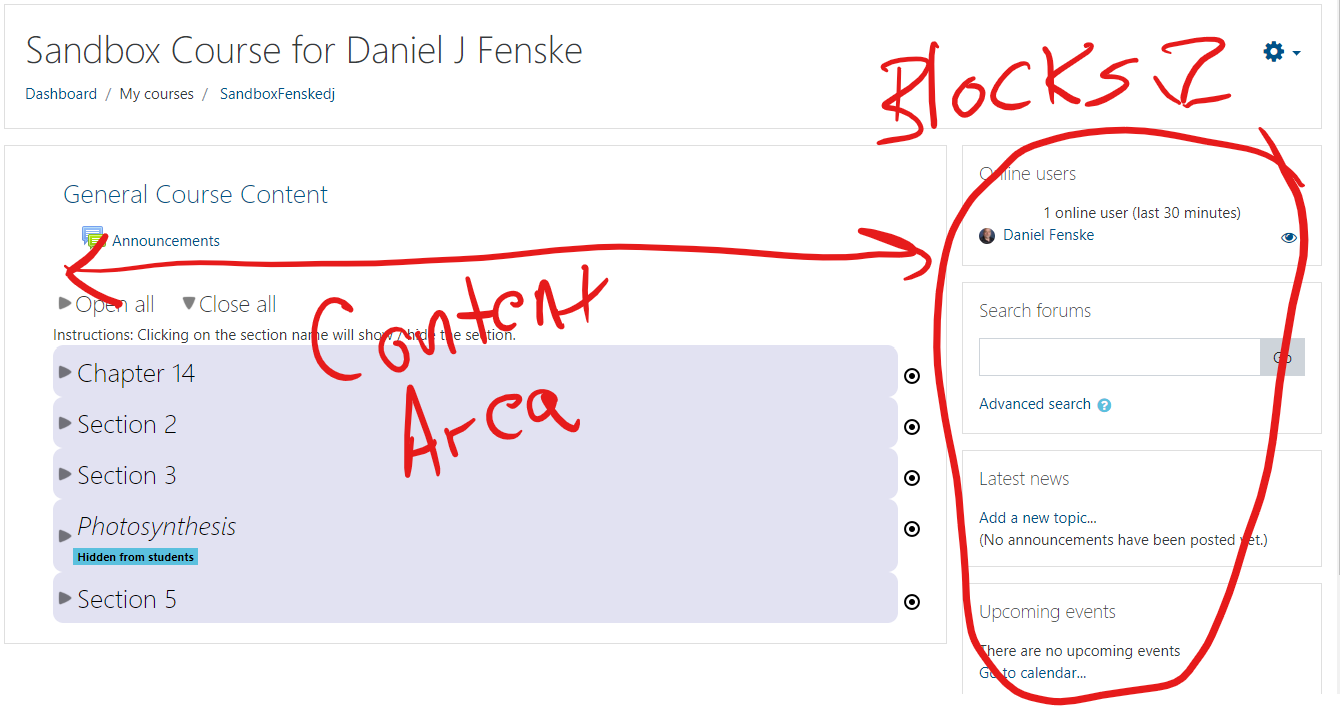
There are two Blocks that are very useful for monitoring what is going on in your course. Those Blocks are the recent Activity Block and the Online Users Block. Recent Activity is displayed by default. As things happen in the course, this block will display that for you. You can also get a report by clicking on the link that appears in the Block "Full report of recent activity...".
The Online Users block displays a list of students who are currently logged in to your course. This Block must be added if you wish to make use of it. The instructions for adding this Block follow.
Add a Block
| 1. Navigate to your Course Page. Turn Editing on. |  |
| 2. At the upper left corner of the page, find the 3 horizontal line button (the "hamburger"). Click on that button to expand the left side pane. |  |
|
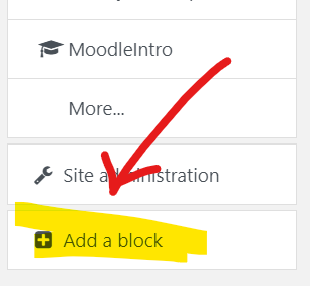
3. When the left side pane opens, scroll to the very bottom of the pane. You will see a box, "Add a Block". Select that button. |
 |
| 4. For our purposes, we'll add a Block that tells us which users are currently logged in to our course. Scroll down the list of Blocks to find "Online users". Select that Block. | 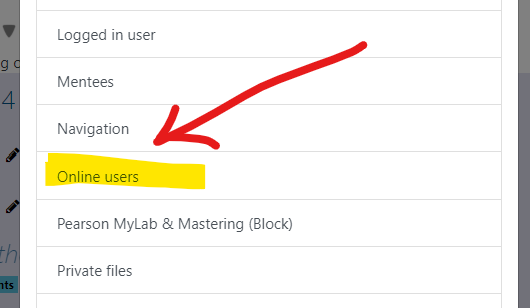 |
| 5. The Block will appear in the right pane of your course. You can change the position (up or down in the pane) by clicking and holding on the crossed arrow icon. Your cursor changes to the crossed arrow. You can drag the Block up or down to your desired position. | 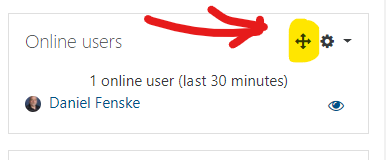 |
| Turn your editing off, your block is in place. |
Delete a Block
You may decide that you do not wish to use a Block, and want to remove it from the Course Page. Directions follow:
1. Turn Editing on (refer to step 1 of the directions above).
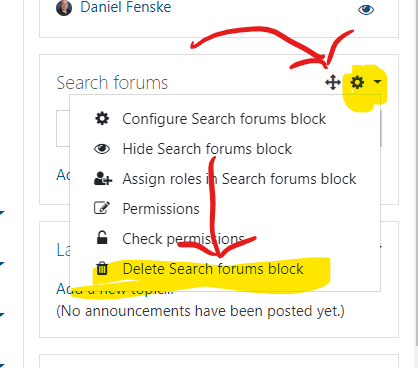
2. Locate the Block you wish to delete. Click on the "gear" icon. From the menu, select the last item "Delete ___ block".
3. Accept the confirmation dialog that appears. The Block is deleted. It may be re-added at any time.
Reports
Moodle provides several tools for giving you feedback about student activity. Moodle's Reports offers some useful information about student activity. Directions to access the Reports follows (clicking on an image will bring up a larger view in a new tab):
| 1. In your Course page, select the small arrow next to your picture. From the drop-down menu, select "More". | 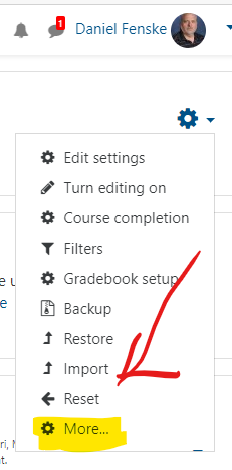 |
| 2. The Course Administration page appears. Note that the middle section has the Reports options. | 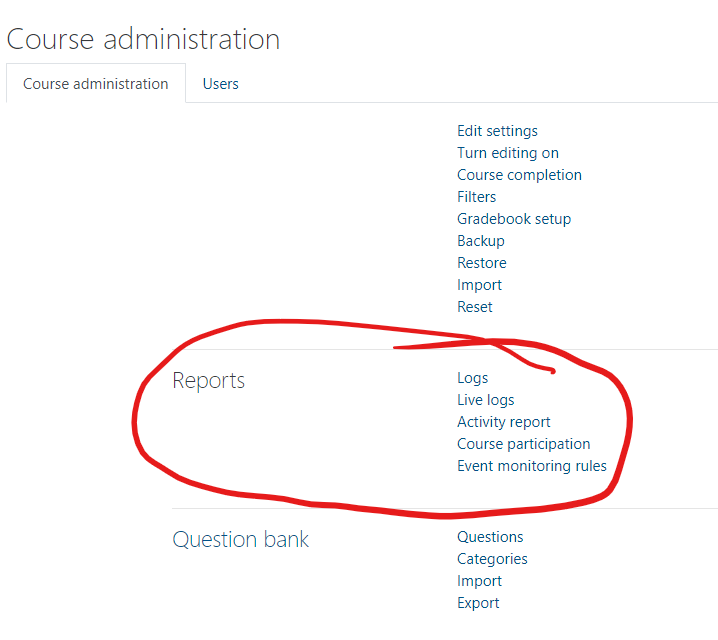 |
| 3. Selecting "Activity Report" brings up a Report of all activity on every item in your course. This report may take a few minutes to generate. It allows you to see which items are accessed. You have the option to Filter the Report by date range. | 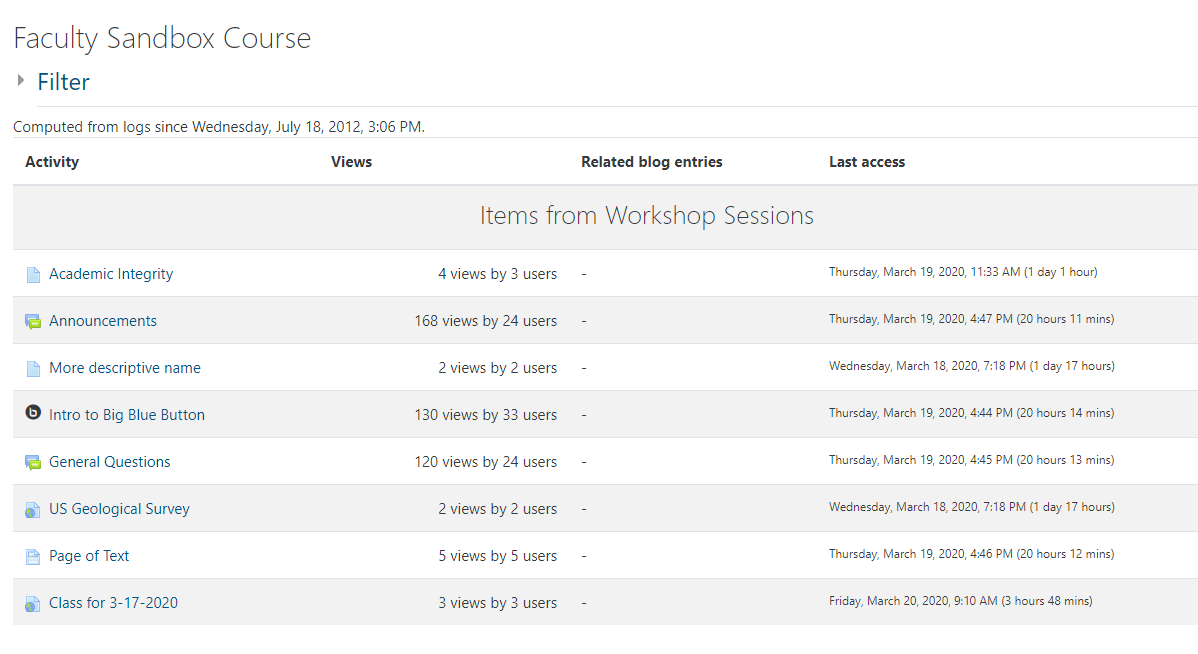 |
| 4. Selecting "Course Participation" allows you a very detailed report about activity in your course. You select which Activity you are interested in, how far back to look, and which actions you are interested in. When you click "Go," Moodle displays the requested information. | 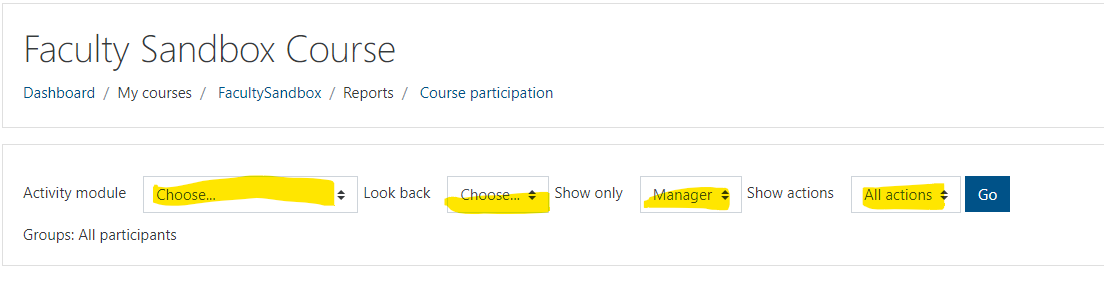 |
| 5. In this example, the Announcements Forum is selected, for the last 4 days, by Students, and All actions. The result is displayed. One user accessed this activity, some did not. | 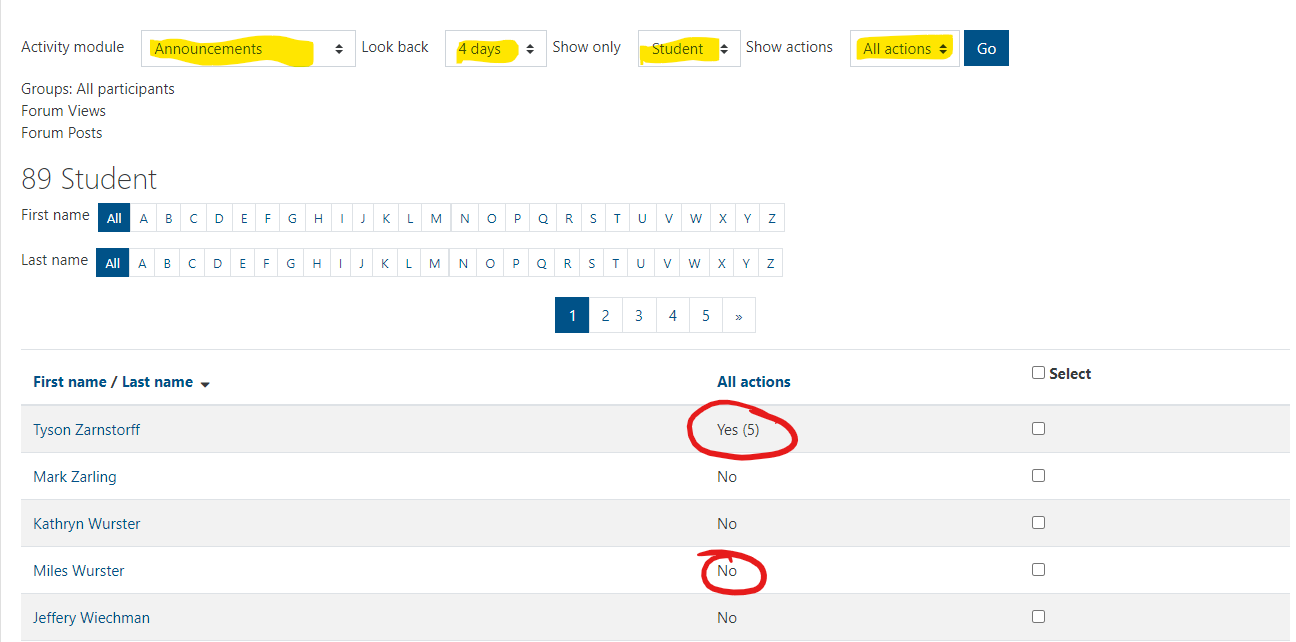 |
Logs
Moodle keeps logs of all activity in your course. You can view these logs. Logs enable you to see very granular information, and you have many options for viewing logs. Generally, the logs are used when you want information about a specific student for a specific reason. Directions:
1. Select Logs from the Reports section (refer to the directions above.)
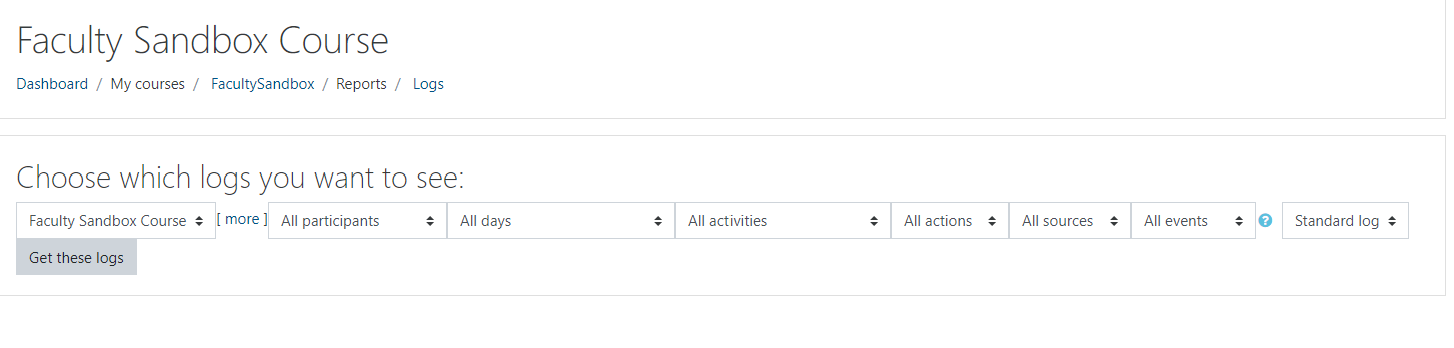
2. You will see a dialog box where you have quite a few options. Note all the menus to select from. Make your selections. You will never hurt anything by viewing logs. However, Moodle will take more time to process logs when you leave selection criteria broad.